
Draw precise shapes
Build rectangles, L-shapes, U-shapes, islands, peninsulas and freeform pieces. Refine corners, curves and edges.
Draw it. Shape it. See it in 3D. Share it. Prepare accurate countertop layouts and export DXF files for your fabrication workflow.
CounterCAD connects detailed shape editing, dimensions, material placement and visualization in one workspace.
Build rectangles, L-shapes, U-shapes, islands, peninsulas and freeform pieces. Refine corners, curves and edges.
Work with fractional-inch measurements and adjust individual vertices and edges for accurate layouts.
Apply slab imagery and adjust each piece independently to preview veining and material placement.
Inspect the layout with a textured three-dimensional preview, including openings and slab edges.
Bring compatible DXF geometry into the design workflow and generate fabrication-oriented DXF exports.
Save and reopen designs in the Pro application so your work can continue beyond a single session.
Position a material image on the layout, review how the vein runs across separate countertop pieces, and open a 3D view before the work moves forward.
Actual screenshots from the CounterCAD application, including complex DXF layouts and material previews.
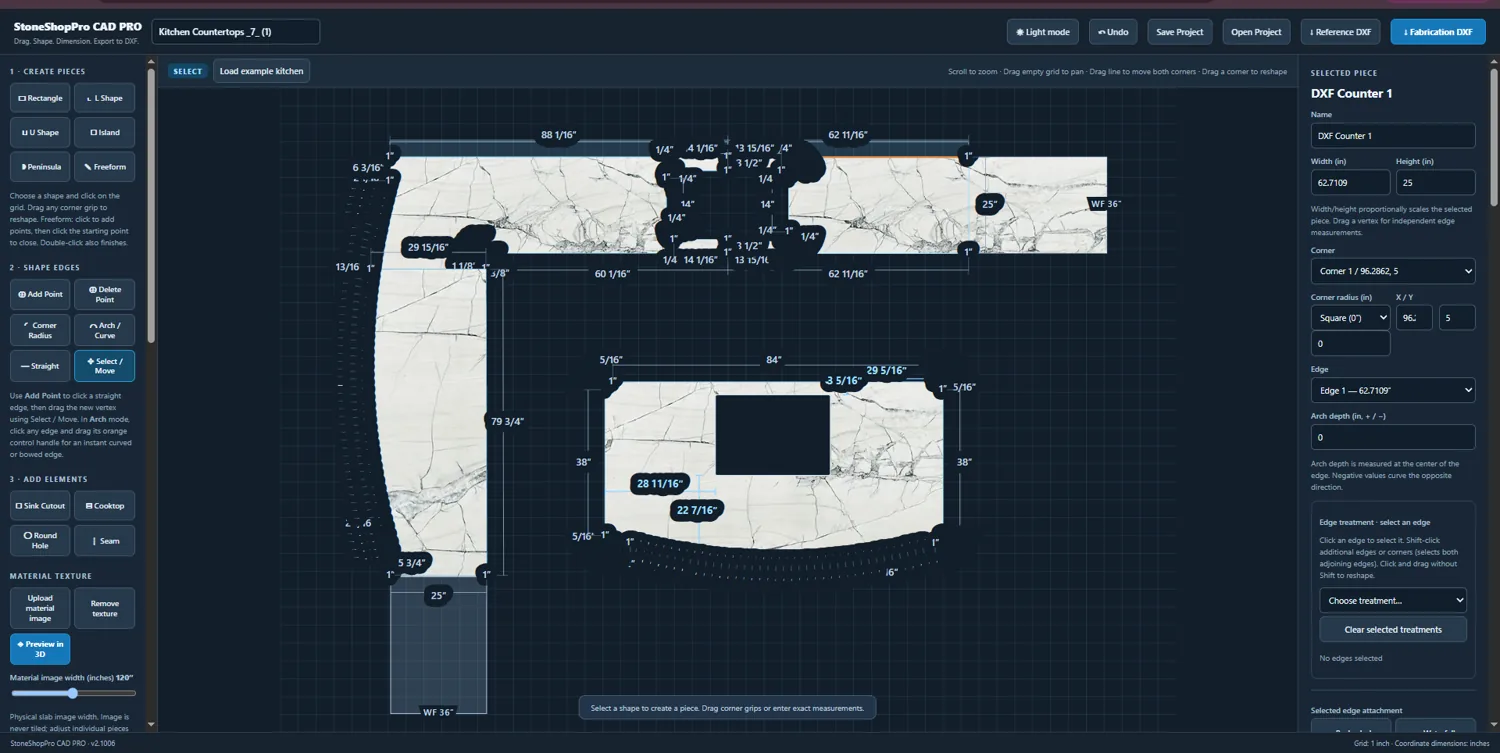
Precision dimensions and stone textures in the 2D editor.
Explore the interface in the free edition, then use CAD Pro for the full design and fabrication workflow.
A limited introduction to countertop layout design.
Professional tools for layout, material visualization and fabrication preparation.
Feature availability and subscription terms are controlled by your account and may change. The free edition requires login and has limited functionality.
The freemium version offers limited functionality. The full CAD Pro workspace requires an active subscription and login.
CAD Pro supports DXF import for compatible countertop geometry. Complex files may require review or adjustments.
Yes. You can upload a material image, adjust its position on individual pieces, and inspect the result in the 3D preview.
No. It is a visual slab preview intended to help inspect geometry, openings and material placement.
Explore CounterCAD and bring your next countertop design into focus.
Questions about subscriptions? 877-877-1916